
6 min read
Requesting IDX Access for MLS Integrations
Complete the IDX agreement with Proptx to display live MLS listings on your website.
MLS Integration Setup
Requesting IDX Access for MLS Integrations
To display live MLS listings on your Orchestate-powered website, you need to complete the IDX (Internet Data Exchange) agreement with Proptx. This process involves multiple signatures from you, your Broker of Record, Orchestate, and Proptx.
Before You Begin
Make sure you have your Realtor Proptx credentials ready and that you've already set up your website domain in your Orchestate profile. You'll need to enter this domain URL during the agreement process.
Navigate to Proptx Agreements Portal
Go to the Proptx syndication portal and sign in using your Realtor Proptx credentials.
Portal URL:
https://syndication.ampre.ca/agreements/dashboard
syndication.ampre.ca/agreements/dashboard
Sign in using your Realtor Proptx credentials
Note
Need credentials? If you don't have your Proptx login credentials, contact your brokerage or Proptx support to get access.
Create a New Agreement
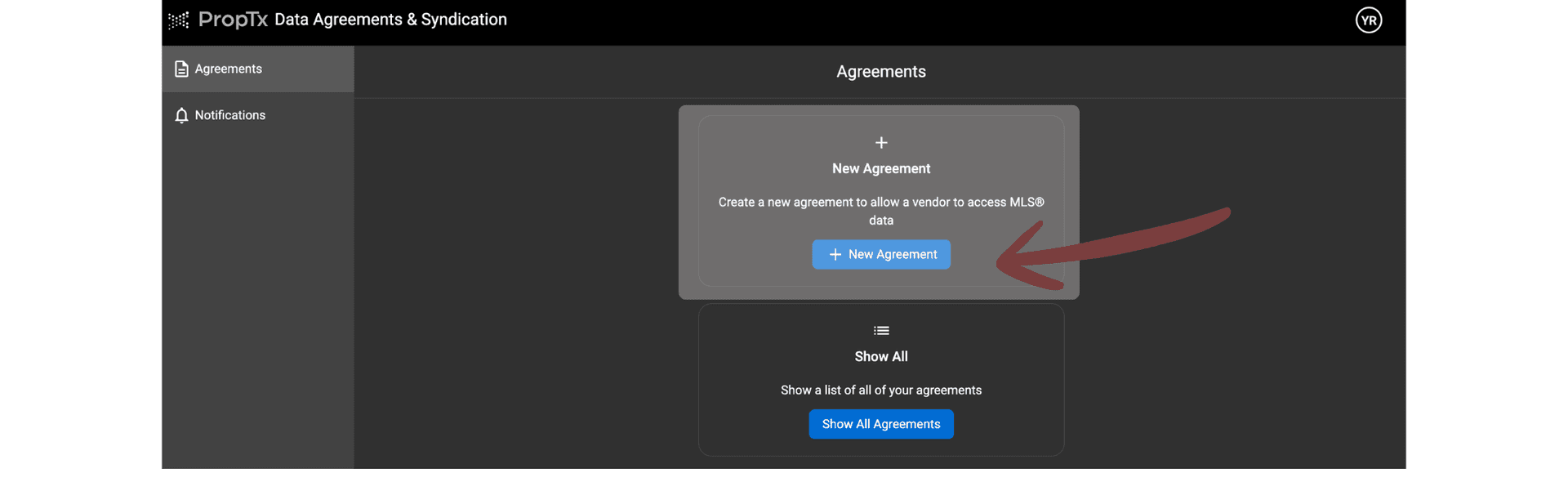
Once logged in, initiate a new IDX agreement by clicking the "New Agreement" button on the dashboard.
Look for the "New Agreement" button in the top section of the dashboard
Select IDX Agreement Type
Choose the "Internet Data Exchange (IDX) Agreement" option from the available agreement types.
syndication.ampre.ca/agreements/initiate
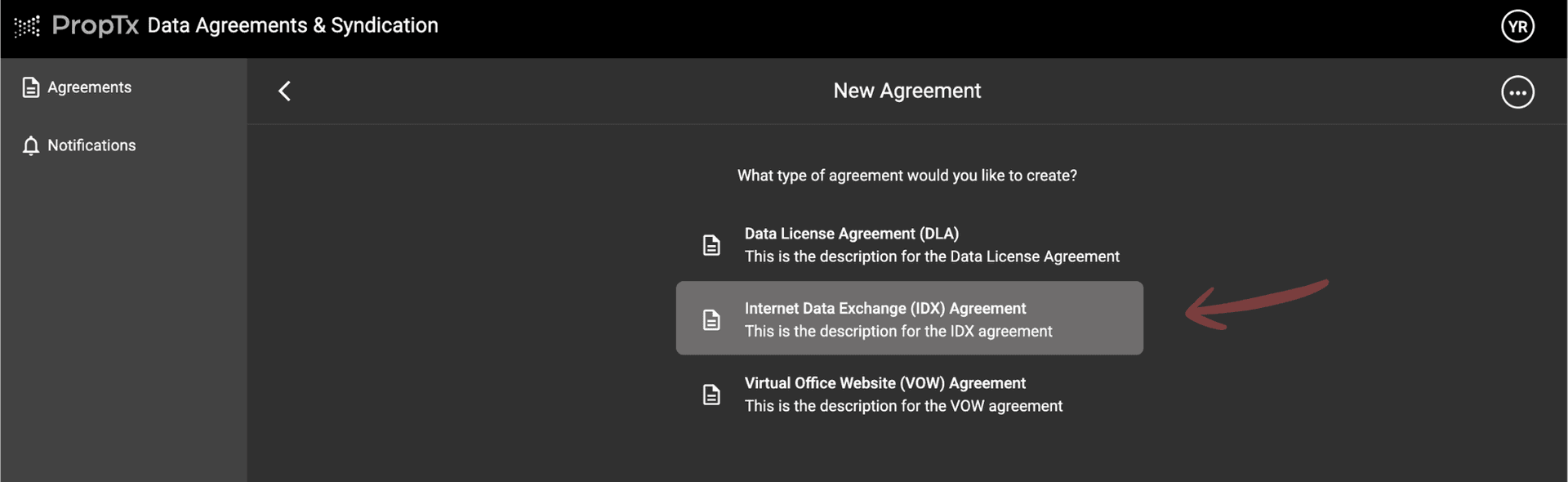
Click on the 'Internet Data Exchange (IDX) Agreement' option
What is IDX?
IDX (Internet Data Exchange) allows you to display MLS listings from the Proptx database on your personal website with proper authorization.
Select Orchestate Inc. as Your Vendor
From the vendor selection dropdown, choose "Orchestate Inc." as your authorized website vendor.
syndication.ampre.ca/agreements/new/sign?template_id=2
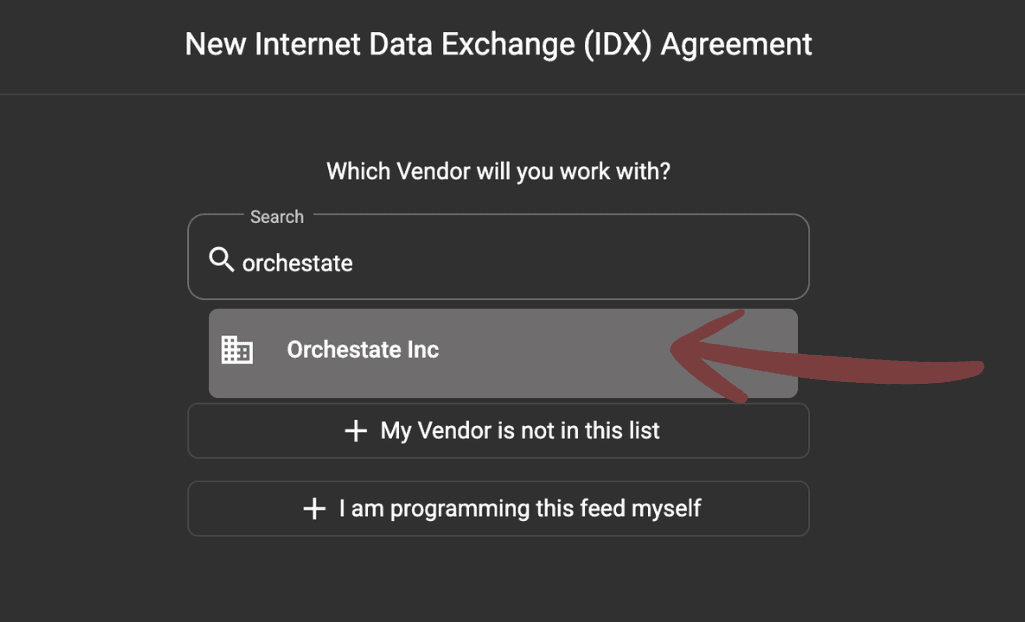
Select 'Orchestate Inc.' from the vendor dropdown menu
Why Orchestate Inc.?
Orchestate is registered as an authorized IDX vendor with Proptx, enabling us to securely display MLS data on your website.
Complete Agreement Form
Fill in the required information, including selecting all necessary checkboxes and entering your website domain URL.
Required Actions
Select all required checkboxes
Enter your website domain URL in the "Subscriber Website URL #1" field
syndication.ampre.ca/agreements/new/sign?template_id=2&vendor_id=9427
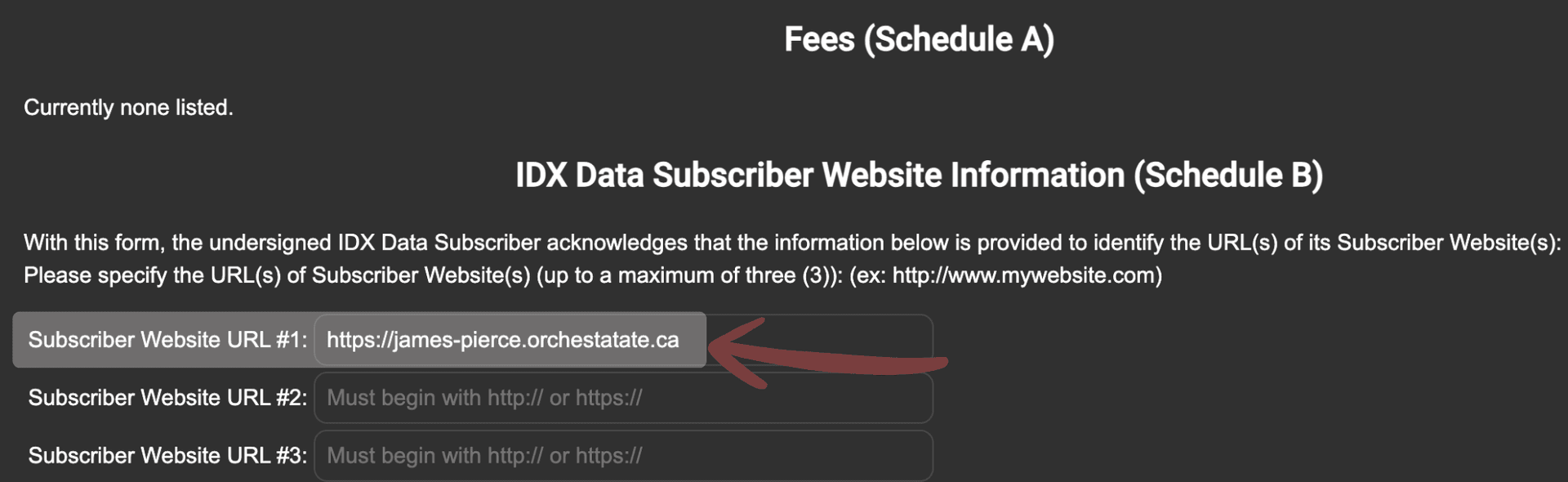
Enter your Orchestate website URL (e.g., yourname.orchestate.ca)
Important
Important: Make sure to enter the exact domain URL you configured in your Orchestate profile settings. This URL must match exactly for the integration to work properly.
Complete the Signature Process
After submitting the agreement, multiple parties will need to sign the document electronically before your IDX access is activated.
Signature Workflow
1
You (Realtor)
You will receive an email with the agreement for e-signature. Review and sign the document.
2
Your Broker of Record
Inform your Broker of Record to check their email and sign the agreement. This is a required signature.
3
Orchestate Inc.
Orchestate will receive notification and sign the agreement on behalf of the vendor.
4
Proptx (Final)
Proptx will finalize and sign the agreement. Your IDX access will be activated shortly after.
Success
Pro Tip: The entire signature process typically takes 1-3 business days. Make sure to follow up with your Broker of Record to ensure they sign promptly.
You're All Set!
Once all parties have signed the agreement and Proptx finalizes the process, your IDX access will be activated. You'll be able to display live MLS listings on your Orchestate-powered website automatically.
You'll receive an email confirmation when your IDX access is fully activated.

The all-in-one marketing platform built for real estate professionals across the Greater Toronto Area — Toronto, Mississauga, Brampton, Burlington, and Milton.
© 2026 Orchestate. All rights reserved.
Made with ❤️ for real estate professionals